Agency connections
A business with its own Zoomclap workspace can let one or more agencies work in it. The agency's people work inside the business's workspace, so all posts, approvals and numbers stay in one place.
Connect
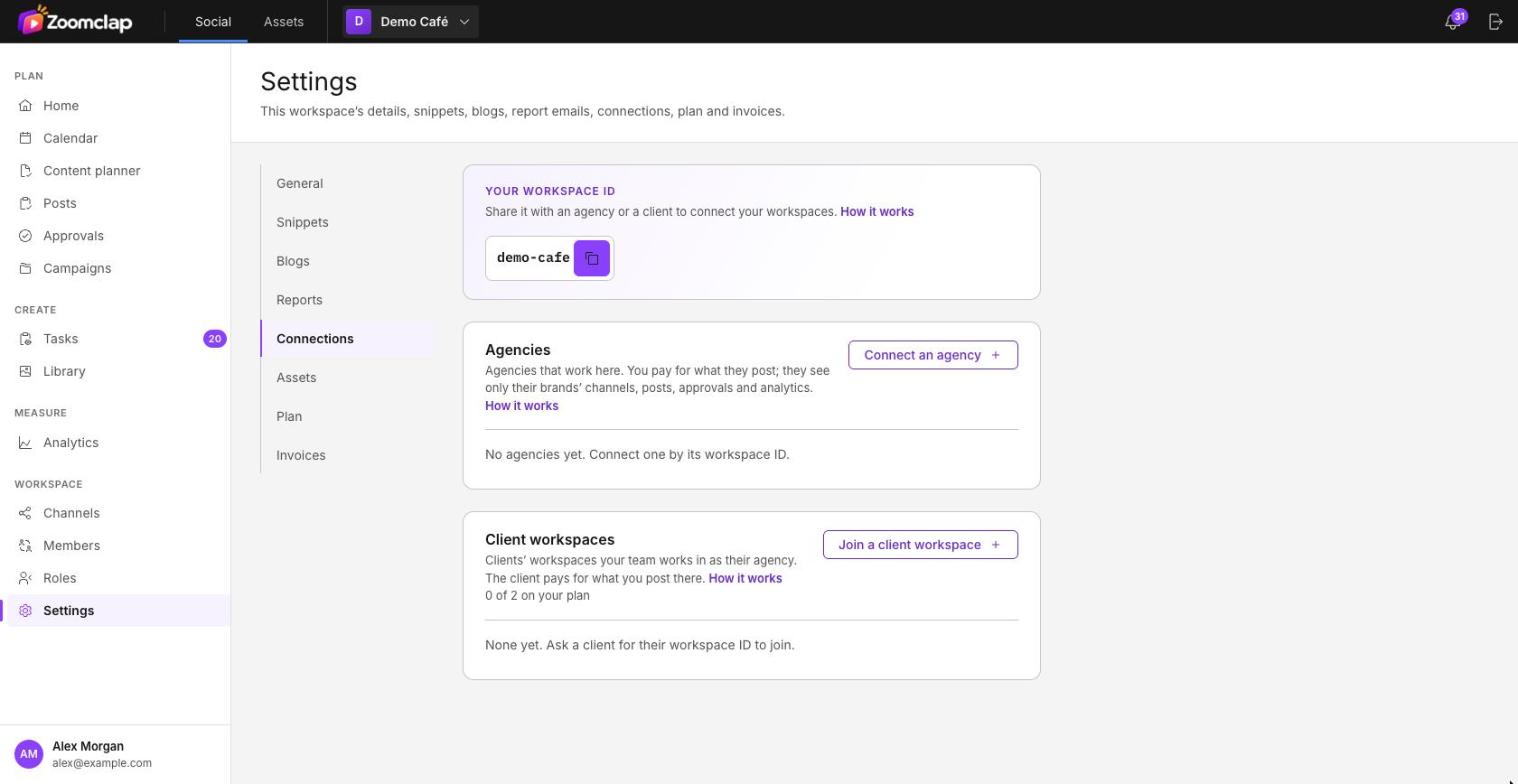
- One side copies its workspace ID from Settings → Connections.
- The other side, on the same page, chooses Connect an agency (in the business's workspace) or Join a client workspace (in the agency's workspace), enters the ID, chooses Find and sends a request.
- The other workspace's owner or an Admin accepts or declines. Requests expire after 14 days.
The business decides the access
When the connection is made, the business chooses:
- the role the agency gets, from the business's own roles;
- the brands the agency covers (one, several or all).
The agency chooses which of its own roles get that access, for example account managers and designers.
Several agencies
A business can connect more than one agency. It sees every agency's work on one calendar.
Working as an agency
An agency member switches to the client's workspace from the workspace switcher. While there, they see the pages their role allows.