Content planner
A content planner is a posting plan for a brand. You set it up once: which channels, how often, the ideas, and who writes, designs and reviews. Zoomclap then makes a post for every date it should post on.
Words used
| Word | Meaning |
|---|---|
| Slot | One date and time the planner posts on, such as Mon 10 Nov, 10:00 |
| Idea | What you post about again and again, such as Tip or Customer story, with its own details, link and reference images |
| Writer | Writes each post's caption and design brief |
| Designer | Makes the images; a named person or the pool |
| Reviewer | Approves the design and caption; approving schedules the post |
| Round | How many times a design has been sent for review |
Start from a ready-made plan
Go to Plan → Content planner → New planner. Pick a plan for your kind of business, or Blank planner to set everything yourself. A ready-made plan fills in the posting days, times and post ideas; you can change all of it before saving.
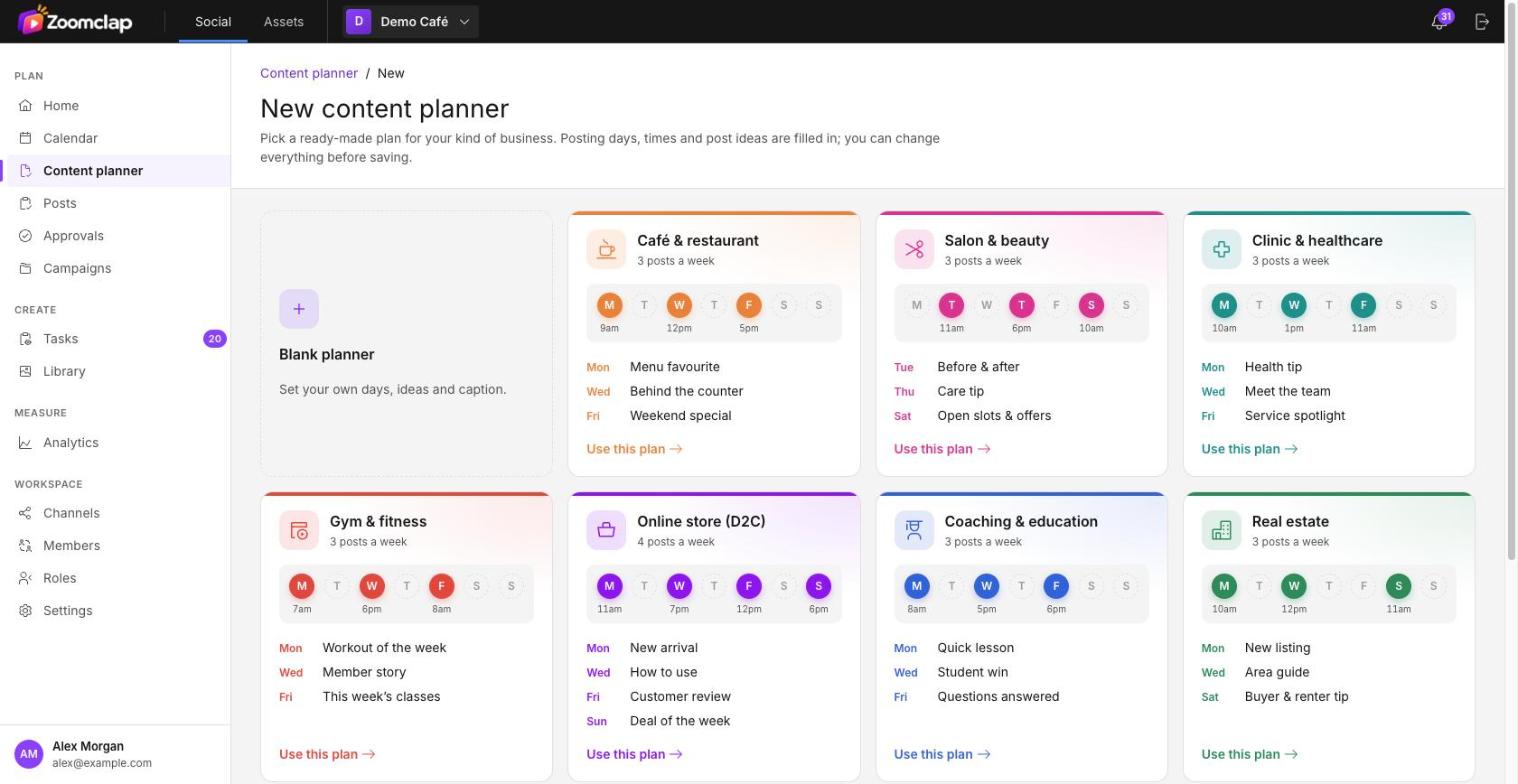
The form then has five steps: About → When → Content → People → Review.
1. About
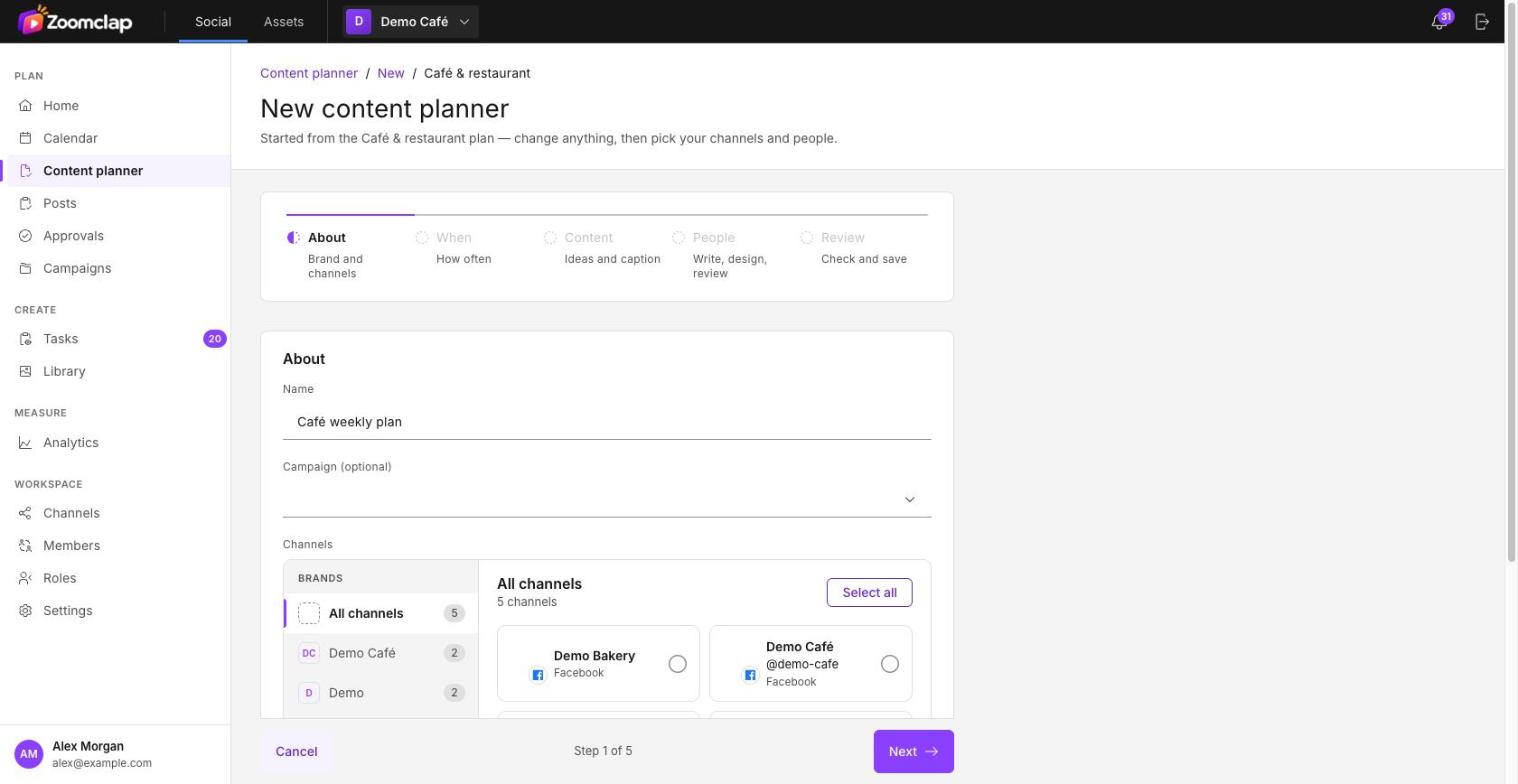
Give the planner a name, an optional campaign, and pick the channels to post to. Use the brands on the left to find channels quickly. The channels decide the image crops and caption limits.
2. When
| Repeat | Example |
|---|---|
| Once | 14 Nov at 18:00 |
| Every day | 10:00 |
| Every N days | every 2nd day at 10:00 |
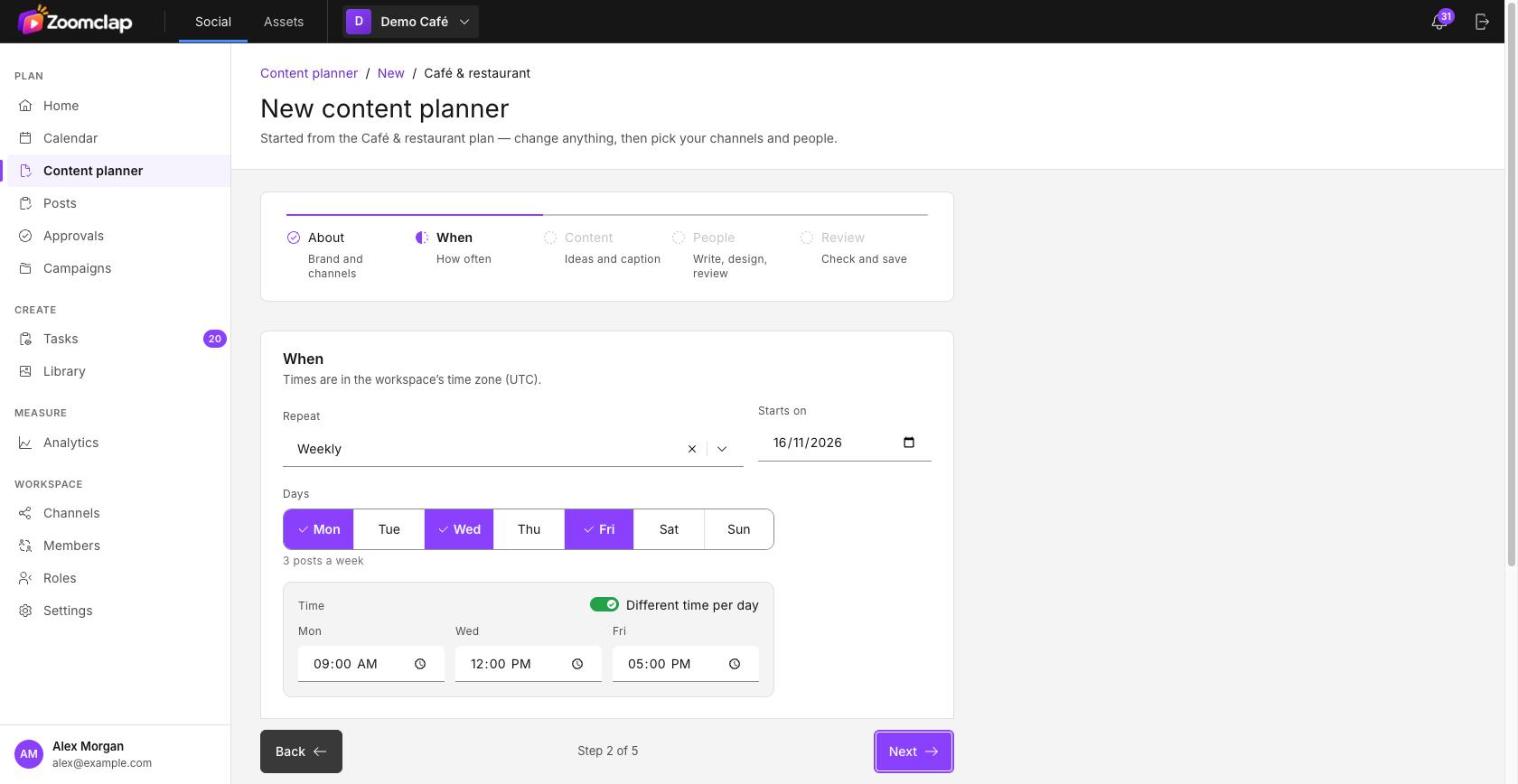
| Weekly | Mon, Wed and Fri; turn on Different time per day to set a time for each |
| Monthly | the 1st at 12:00, or the last Friday |
Also set when it starts, when it ends (never, on a date, or after a number of posts) and any dates to skip, such as holidays. Times are in the workspace's time zone.
3. Content
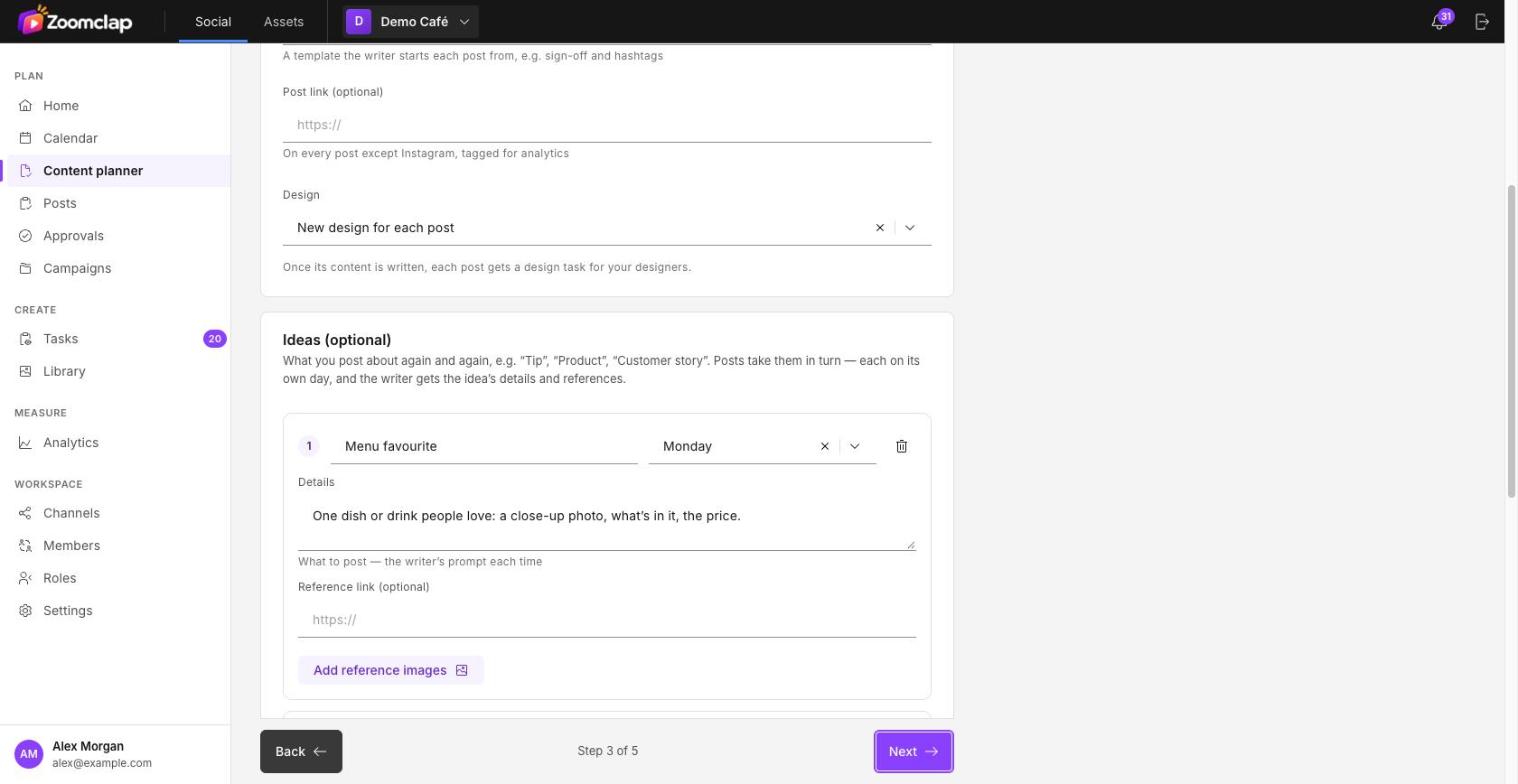
- Starting caption (optional): text every post starts from, such as a sign-off or hashtags.
- Post link (optional): one link per post. Not used on Instagram.
- Design:
- New design for each post: each post gets a design task once its content is written.
- Ready design: images you attach now, with no design task.
- From the library: rotate through library files with a tag, oldest used first.
- Ideas (optional, up to 10): each has a name, the day it goes out (or in turn), details for the writer, a reference link and reference images.
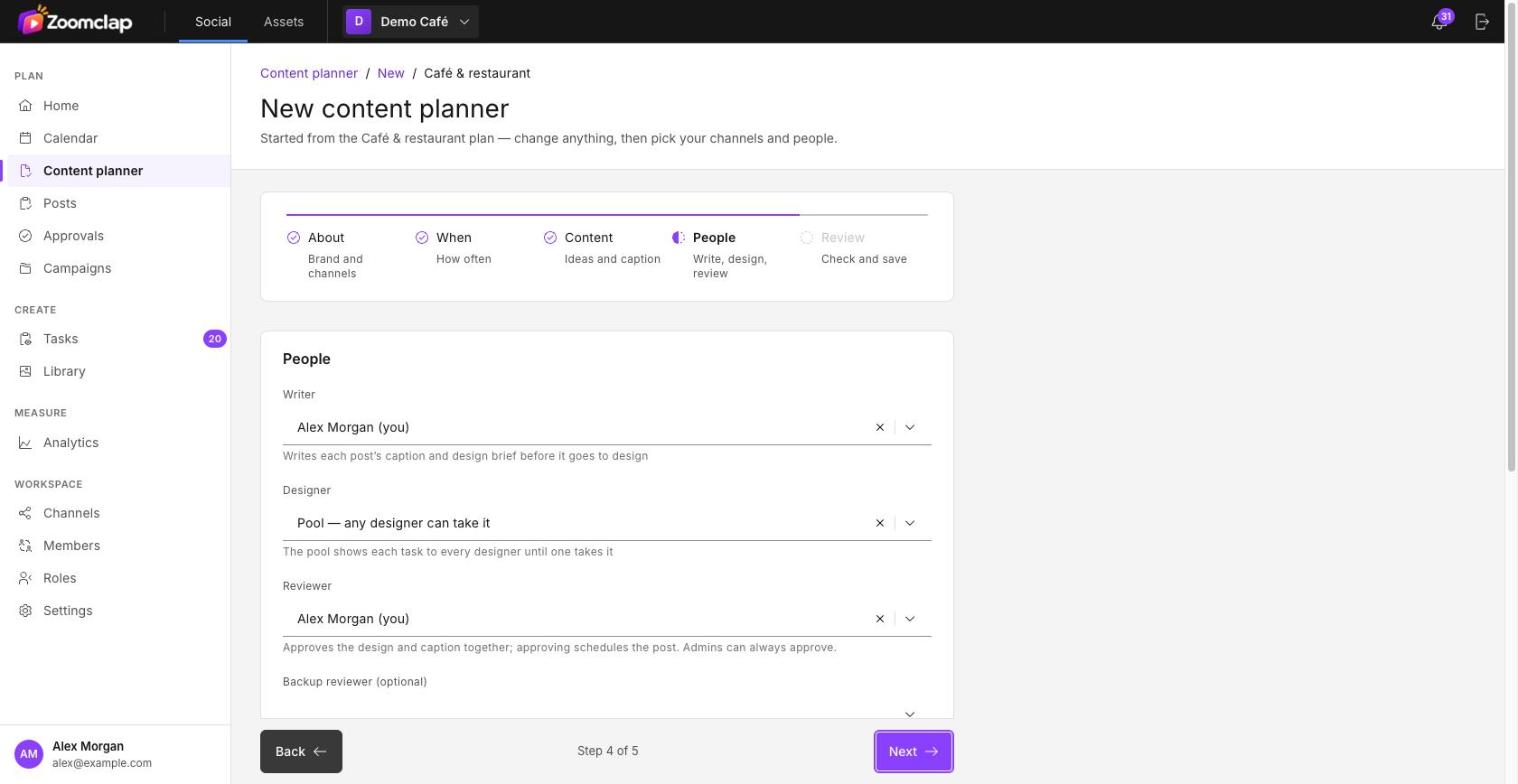
4. People
- Writer: writes each post's caption and design brief before it goes to design.
- Designer: a named designer, or Pool so any designer can take it.
- Reviewer: approves the design and caption together. Admins can always approve.
- Backup reviewer (optional).
- Timeline, in days before the post: when the content task opens (default 7), when the content is due (default 5) and when the design is due (default 2).
5. Review
A summary and the next posts with their ideas and due dates, plus warnings if something won't work. For example, the reviewer can't approve, a channel needs reconnecting, or the first post is too soon for the designer. Choose Create planner to save.
The planner list
Plan → Content planner shows a card for each planner with its next post and this month's progress. At the top:
- Consistency: the share of planned posts that went out on time over the last 4 weeks.
- Posts at risk this week: posts whose content or design is late, with a link to fix each one.
The planner page
| Area | Shows |
|---|---|
| Upcoming | Each coming slot with its idea, stage, designer, due date and round. Skip a slot or assign it from here. |
| Past | Published, missed and skipped slots, with links to the live posts |
| About | The planner's settings |
| Progress | This month's planned, designed, approved, published and missed posts, and the on-time rate |
From the header you can Edit, Pause / Resume, End or Delete the planner.
Editing a planner
Choose whether a change applies to this slot only or this and future slots. Posts that are already approved, scheduled or published are never changed by a planner edit.
Missed slots
If a slot's time passes before the post is approved, the slot is marked Missed. Nothing happens automatically: you can still approve it and pick a new time, add it to the queue, or skip it.